

django-gvar
Description
django-gvar is a Python module which allows to store multi-dimensional Gaussian random variables implemented by G. Peter Lepage's gvar module into Django's ORM Framework.
It adds a GVarField, which can be used to store individual GVars, arrays of GVars, and Dictionaries of GVars.
Usage in scripts
After pip-installing the module, import the GVarField field into your project and use it out-of-the-box (changing settings is not required)
# myproject.models.py
from django.db import models
from django_gvar import GVarField

class ExampleTable(models.Model):
    a = GVarField()
After migrating new table definitions, the GVarField can be used as any other field in external scripts
from gvar import gvar
from myproject.models import ExampleTable

a = gvar([1, 2, 3], [4, 5, 6])
entry = ExampleTable(a=a)
entry.save()
Usage in forms
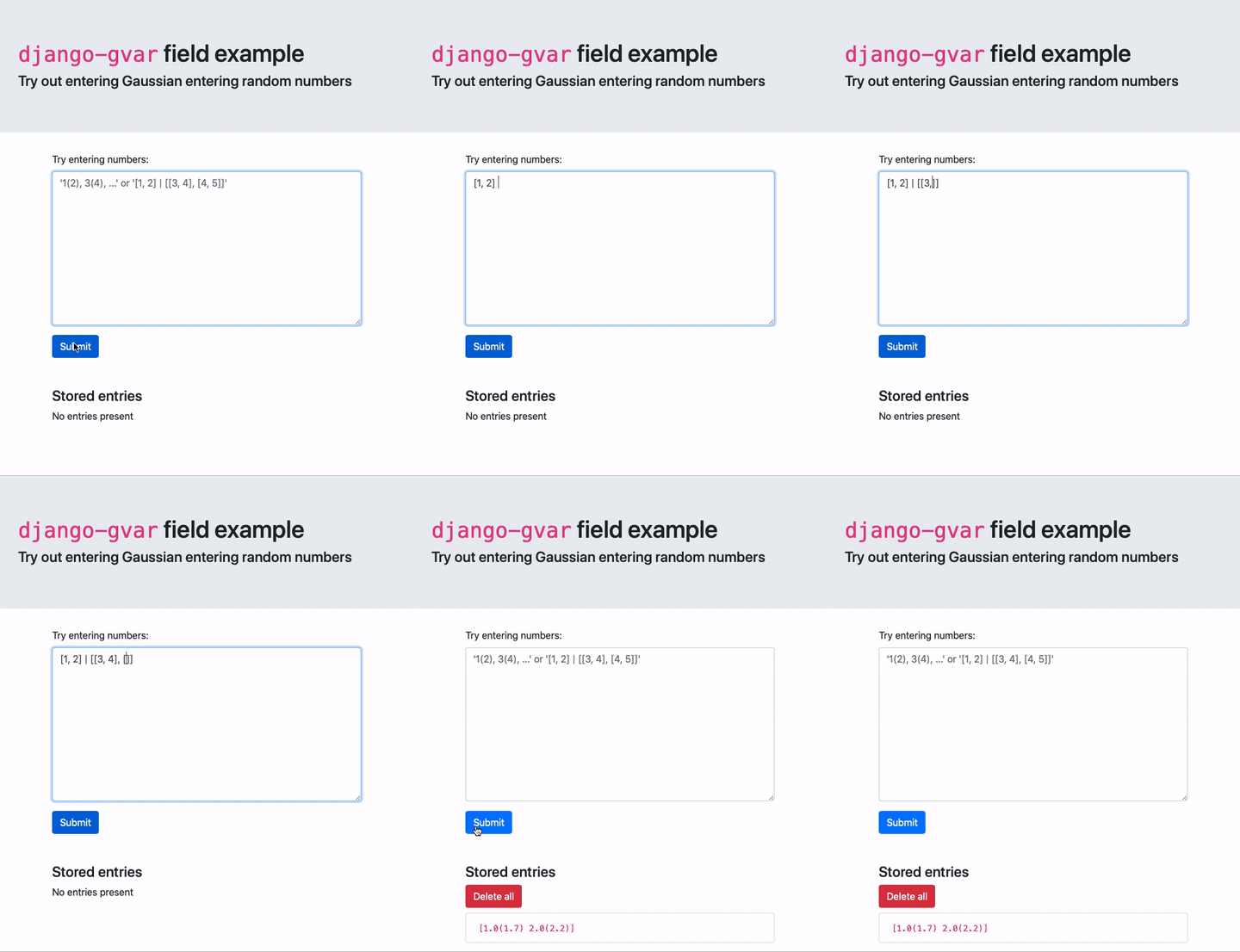
For web-forms, the default widget for GVarFields are text areas.
Currently, the form supports single numbers and arrays as input.
These forms utilize custom syntax to convert the input to GVars:
- GVars without correlations are can specified by lists of numbers where parenthesis define standard deviations
1(2), 3(4), ...
- GVars with correlations are specified as arrays of mean values and the covariance matrix separated by a
|
[1, 2] | [[1, 2], [2, 3]]
Install
django-gvar can be installed from the repository root using pip
pip install [-e] [--user] .
Because it utilizes Django's JSONField, which is available for all database backends in Django version 3.1 (previously it was a Postgres only field), it currently depends on the development version of Django (Django==3.1a1).
Once established, the dependencies will be updated accordingly.
Details
The underlying database type for django-gvars are JSONFields.
It uses gvars gdumps and gloads to generate corresponding JSON.
The project documentation specifies more details.
Examples
The tests directory implements a simple Django app using the GVarFields.
To start it, install the repo as specified above and run
cd tests
python manage.py migrate # init that test database / only needs to be run once
python manage.py runserver # start a local server